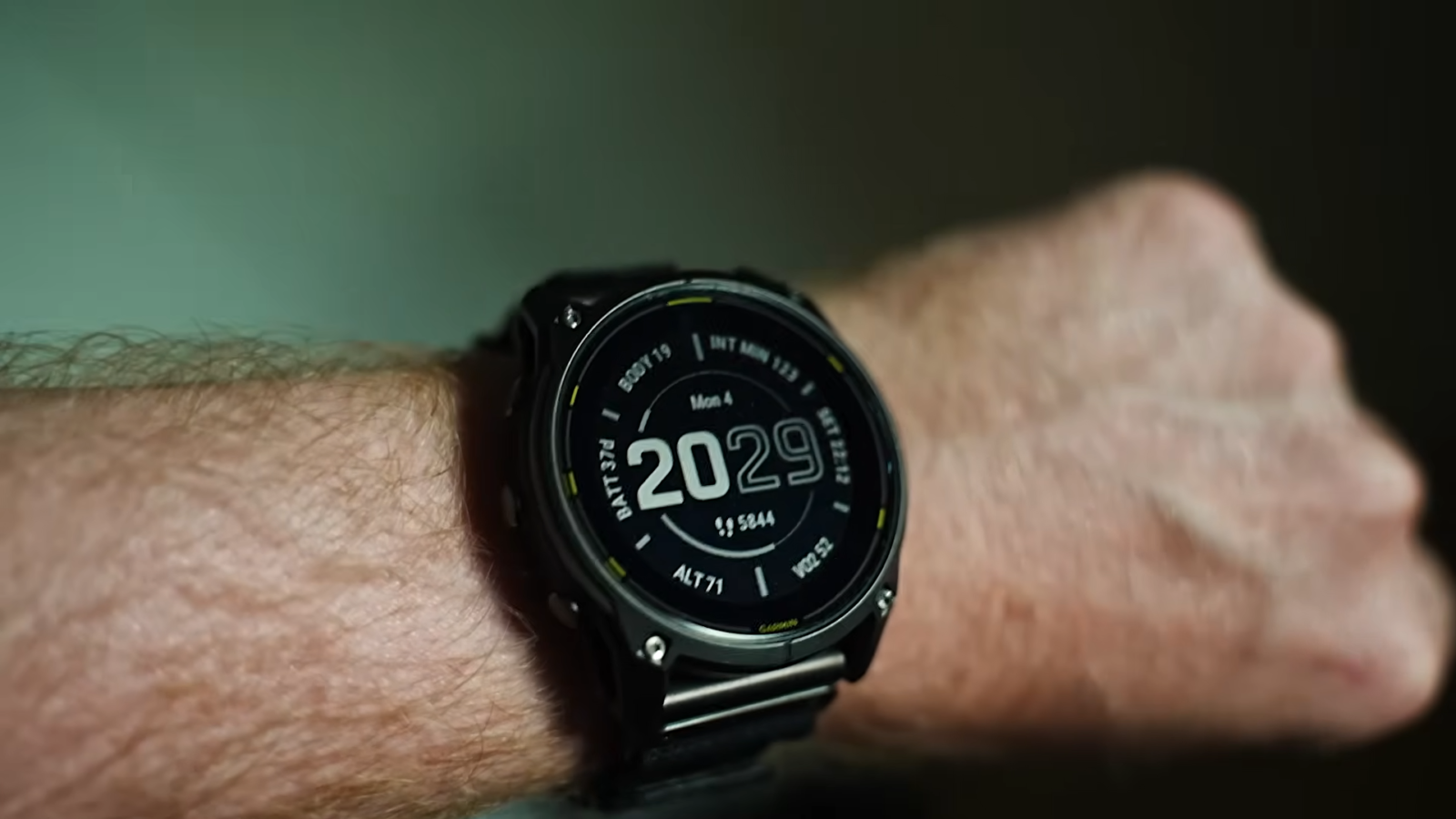
The Garmin Enduro 3 has the longest battery life of any GPS watch I’ve tested. But “up to 90 days” means nothing if your settings are wrong.
I’ve worn this watch through multi-day bikepacking trips, ultra-distance trail runs, and weeks of daily training. I’ve tested every GPS mode, toggled every sensor, and tracked the drain numbers obsessively. This guide covers what actually affects Garmin Enduro 3 battery life and how to squeeze every hour out of it.
If you want the general Garmin optimization playbook, read my main Garmin battery guide first. This one goes deep on the Enduro 3 specifically.
Enduro 3 battery specs: what Garmin actually claims
Let’s start with the official numbers. Garmin rates the Enduro 3 across several modes, both with and without solar charging. The solar figures assume 50,000 lux for the entire duration, which means constant direct sunlight. Keep that in mind.
| Mode | Without solar | With solar |
|---|---|---|
| Smartwatch | 36 days | Up to 90 days |
| GPS Only | 136 hours | Up to 320 hours |
| All Systems (multi-constellation) | 80 hours | Up to 144 hours |
| All Systems + Multi-Band | 58 hours | Up to 90 hours |
| SatIQ (Auto Select) | 80 hours | Up to 120 hours |
| Max Battery GPS | 110 hours | Unlimited |
| Expedition GPS | 77 days | Unlimited |
| Battery Saver | 92 days | Unlimited |
| GPS + Music | 22 hours | — |
Those numbers are impressive. But the real question is: what do you actually get when you strap this thing on and live your life?
Real-world battery life: what I actually measured
Garmin’s claims for the Enduro 3 are closer to reality than most watches I’ve tested. That’s partly because the MIP display barely sips power, and partly because the solar panel on this thing is genuinely effective.
Here’s what I saw in daily use with notifications on, heart rate monitoring active, sleep tracking enabled, and Pulse Ox set to manual.
| Scenario | Battery life observed | Notes |
|---|---|---|
| Daily smartwatch (indoor worker) | 28-32 days | Minimal solar contribution. About 3-5% drain per day. |
| Daily smartwatch (outdoor active) | 40-50 days | 3+ hours of sunlight per day makes a real difference. |
| GPS tracking (SatIQ, trail running) | 70-90 hours | Mixed terrain, some tree cover. SatIQ switches intelligently. |
| GPS tracking (All Systems + Multi-Band) | 45-55 hours | Dense forest, steep valleys. Maximum accuracy, maximum drain. |
| Multi-day hike with daily GPS tracking | 20+ days | 8 hours GPS per day, SatIQ mode, good sun exposure. |
| Ultra event (100 miles, SatIQ) | 50-60 hours remaining | Finished a 30-hour effort with plenty left. |
The pattern is clear. If you spend time outdoors, the solar panel earns its keep. If you’re mostly indoors, expect numbers closer to the non-solar specs. Either way, this watch outlasts everything else in the Garmin lineup by a wide margin.
Solar charging on the Enduro 3: the real story
The Enduro 3 uses Garmin’s Power Glass solar lens. Unlike the Enduro 2, which had a semi-transparent solar overlay across the entire display, the Enduro 3 moves the solar cells to a wider ring around the screen edge. This improves display readability while actually doubling the solar harvesting efficiency.
That’s not marketing fluff. Garmin’s engineers redesigned the solar architecture completely. The result is more than twice the energy capture of the Enduro 2.
How to maximize solar charging
Solar charging works best when you understand its limits. You’re not going to charge this watch from dead using sunlight. But you can dramatically slow the drain, or even achieve net-positive charging during outdoor activities.
- Wear the watch face-up on top of your wrist. Obvious, but worth saying. If your sleeve covers the solar ring, you get nothing.
- Angle matters. Direct overhead sun gives the most lux. Early morning and late evening sun hits at a steep angle and delivers less energy.
- 50,000 lux is the target. That’s full direct sunlight on a clear day. Overcast skies drop to 10,000-25,000 lux. Indoors near a window: maybe 1,000 lux. The difference is massive.
- Check the solar widget. The Enduro 3 has a solar intensity gauge that shows real-time energy harvesting. Use it to understand how much solar you’re actually getting in your environment.
- During rest stops, place the watch face-up in direct sun. Even 20 minutes of high-lux exposure during a lunch break adds meaningful charge on a multi-day trip.
In Expedition and Max Battery GPS modes, Garmin claims unlimited battery with sufficient solar. I tested this on a 5-day hiking trip above tree line in good weather. The battery percentage barely moved. It’s legit, as long as you have the sun.
For a deeper look at solar across all Garmin models, see my main battery optimization guide.
GPS modes explained: picking the right one for your activity
This is where most people either waste battery or sacrifice accuracy for no reason. The Enduro 3 gives you more GPS options than any other Garmin. Choosing the right one matters.
SatIQ: your default for almost everything
SatIQ (labeled “Auto Select” in some menus) should be your go-to GPS setting. It monitors your environment in real time and switches between single-band GPS and multi-band GPS automatically.
Running along an exposed ridge? SatIQ uses GPS-only. Drop into a dense forest valley? It activates multi-band for the tricky section, then drops back when you’re in the clear. According to Garmin, multi-band is only needed about 15% of the time during a typical activity. SatIQ gives you that 15% without wasting battery the other 85%.
For ultra marathons, SatIQ is the smart choice. You get 80-120 hours of tracking with near-perfect accuracy. That’s more than enough for any single-stage event and most multi-stage races.
When to use each mode
| GPS mode | Battery (with solar) | Best for |
|---|---|---|
| GPS Only | Up to 320 hours | Open terrain, roads, exposed trails. Maximum battery. |
| All Systems | Up to 144 hours | Mixed environments, moderate tree cover. |
| All Systems + Multi-Band | Up to 90 hours | Dense forest, deep canyons, urban environments. |
| SatIQ (Auto Select) | Up to 120 hours | Best all-round choice. Set it and forget it. |
| Max Battery GPS | Unlimited | Multi-week expeditions where you just need breadcrumbs. |
| Expedition GPS | Unlimited | Thru-hikes. Records one point per hour. |
My recommendation: Set SatIQ as your default GPS mode for all activity profiles. Only switch to GPS Only if you’re doing a multi-day event in open terrain and want maximum battery. Only use All Systems + Multi-Band if you’re navigating technical terrain where a wrong turn could be dangerous.
Expedition mode: the thru-hiker’s secret weapon
Expedition GPS records a position fix once per hour. That sounds useless until you realize it gives you 77 days of tracking without solar, and potentially unlimited tracking with solar. For thru-hikers on the PCT, AT, or CDT, this means wearing one watch for the entire trail without a charger.
The trade-off is obvious: your track will be a connect-the-dots version of your actual path. But for navigation and daily progress tracking, it’s more than enough. And your watch will still be alive at the finish.
Daily settings that save the most battery
The Enduro 3 already has exceptional battery life out of the box. But if you want to push it even further, or if you’re preparing for an extended trip, these settings make the biggest difference.
The biggest battery killers on the Enduro 3
- Pulse Oximeter (24/7 mode): This is the number one battery killer on every Garmin, including the Enduro 3. Set it to Manual or During Sleep. Never leave it on All Day. This single change can double your smartwatch battery life. See my main guide for the full breakdown.
- WiFi: The Enduro 3 constantly scans for networks when WiFi is enabled. Turn it off and sync manually when you need maps or firmware updates.
- Phone notifications: Every buzz wakes Bluetooth, vibrates the motor, and updates the screen. Limit notifications to calls, texts, and calendar. Disable email, social media, and news apps.
- Animated watch faces: Use a built-in Garmin face. Native faces run compiled machine code. Connect IQ faces use Monkey C and consume more processor cycles. A sweeping second hand looks nice but costs you days.
- Music streaming: GPS + Bluetooth audio = roughly 4x the drain of GPS alone. Use your phone for music during activities.
Optimized daily driver settings
| Setting | Recommended value | Why |
|---|---|---|
| Pulse Ox | Manual Only | Biggest single battery saver. Use During Sleep as a compromise. |
| Display brightness | 5% | MIP is readable in sunlight at minimum brightness. Save power for when you need it. |
| Backlight timeout | 4 seconds | You glance at your watch. You don’t study it. 4 seconds is plenty. |
| Gesture backlight | After Sunset | No need for the backlight during daylight. The MIP display is perfectly readable. |
| WiFi | Off | Enable only when syncing maps or updates. |
| Recording interval | Smart | Reduces data points during steady-state activity. Free 10-15% battery savings. |
| Activity tracking | On (or Off if you don’t care about steps) | Turning off all-day tracking frees the accelerometer from 24/7 operation. |
| Phone notifications | Calls, texts, calendar only | Every notification buzzes the motor, lights the screen, wakes Bluetooth. |
Custom power modes for the Enduro 3
The Power Manager on the Enduro 3 lets you create custom power profiles. Think of them as driving modes for your watch. Here are three profiles worth setting up.
Profile 1: Ultra Race
For events lasting 24-100+ hours. SatIQ GPS, Smart recording, wrist heart rate on, all other sensors off. No music, no notifications. This gets you 80+ hours of continuous tracking with solar assist.
Profile 2: Multi-Day Trek
For multi-day hikes with 6-10 hours of daily GPS use. GPS Only mode, Smart recording, wrist heart rate on, notifications off during activities. Between activities, switch to Battery Saver. This stretches the watch across 2-3 weeks of daily tracking.
Profile 3: Expedition
For thru-hikes and month-long expeditions. Expedition GPS mode, minimal sensors, Battery Saver between tracking. With good solar, this is essentially unlimited. Your watch will outlast your food supply.
To set up custom power modes, go to Settings > Power Manager > Power Modes. You can assign different modes to different activity profiles, so the watch automatically switches when you start a specific activity.
The Battery Manager widget: your new best friend
In early 2026, Garmin rolled out a Battery Manager glance widget for the Enduro 3 (firmware 21.12 and later). This is one of the most useful features Garmin has ever added.
The Battery Manager shows you exactly which components are draining your battery over the last 14 days. GPS, heart rate sensor, display, Bluetooth — everything gets broken down individually. You can see spikes in drain, identify which features cost the most, and jump directly to the relevant settings to adjust them.
If you haven’t added this widget yet, go to your glances and add “Battery.” It takes 30 seconds to set up and gives you data that would have taken days of manual testing to figure out before.
Enduro 3 vs. Fenix 8 Solar: battery comparison
This is the question I get most. The Enduro 3 and the Fenix 8 Solar share a lot of DNA. Same 1.4-inch MIP display, same sapphire glass, same 32GB storage, same sensor suite. But the Enduro 3 wins the battery war decisively.
| Feature | Enduro 3 | Fenix 8 Solar (51mm) |
|---|---|---|
| Price | $899 | $1,199 |
| Weight | 63g | 95g |
| Smartwatch (no solar) | 36 days | 30 days |
| Smartwatch (with solar) | 90 days | 48 days |
| GPS Only (with solar) | 320 hours | 89 hours |
| SatIQ (with solar) | 120 hours | Not listed separately |
| All Systems + Multi-Band | 90 hours (solar) | 44 hours (solar) |
| Expedition GPS | 77 days / Unlimited | Not available |
| Solar panel | Enhanced Power Glass (2x Enduro 2) | Standard Power Glass |
| Speaker/Mic | No | Yes |
| Dive features | No | Yes |
The Enduro 3 gets roughly 2-3x the GPS battery life of the Fenix 8 Solar. It does this through a more efficient solar panel, a lighter polymer case (less energy for the accelerometer to process), and firmware tuned specifically for endurance use.
What the Fenix 8 Solar gives you that the Enduro 3 doesn’t: a speaker and microphone for phone calls, dive features for scuba, and a slightly more premium titanium construction throughout. If you need those, get the Fenix. If battery life is king, the Enduro 3 wins and saves you $300.
For the full Fenix 8 Solar optimization guide, see my Fenix 8 Solar battery guide. And if you’re considering the AMOLED version instead, check the Fenix 8 Pro battery guide.
Troubleshooting: when your Enduro 3 battery drains too fast
Some Enduro 3 users have reported faster-than-expected battery drain, particularly after firmware updates. If you’re seeing 8-10% drain per day in smartwatch mode, something is off. Normal drain should be 3-5% per day.
Step-by-step fix
- Update your firmware. Garmin has fixed multiple battery-related bugs since the Enduro 3 launched. Make sure you’re on the latest stable firmware (20.29 or newer as of early 2026).
- Restart the watch. Hold the LIGHT button, select Power Off, wait 10 seconds, power back on. This clears stuck background processes.
- Check the Battery Manager widget. Look for unexpected spikes. If one component is consuming far more than others, you’ve found your culprit.
- Remove Connect IQ watch faces and apps. Switch to a built-in Garmin face for 3-4 days. Third-party apps can have memory leaks that silently drain battery.
- Sync with Garmin Connect. This refreshes satellite cache files (CPE/EPO data) that can become corrupted and cause the GPS chip to overwork.
- Check Pulse Ox settings. Make sure it hasn’t been accidentally switched back to All Day after a firmware update. Updates sometimes reset settings.
- Factory reset as a last resort. Sync your data first. Then reset and set up as a new device — don’t restore from backup, as that can reintroduce the problem.
After a firmware update, give the watch 48 hours before judging battery life. The first day or two often shows higher drain as the watch re-indexes data and downloads fresh satellite files. That’s normal.
Who should buy the Enduro 3?
The Enduro 3 is purpose-built for people who push beyond normal distances. If your events last longer than a day, if your adventures span weeks, or if you simply hate charging your watch, this is the one.
- Ultra runners: 50-mile to 200-mile events with a single charge. SatIQ gives you accuracy without battery anxiety.
- Thru-hikers: Expedition mode can last an entire trail. Months of tracking on one watch.
- Bikepackers: Multi-week routes with GPS navigation and enough battery to never worry about finding an outlet.
- Outdoor professionals: Guides, rangers, researchers who need reliable GPS day after day without access to power.
If your longest activity is a weekend long run and you mostly use your watch as a daily fitness tracker, the Enduro 3 is overkill. Look at the Instinct 3 Solar for a more affordable solar option, or the Fenix 8 Pro if you want the AMOLED display experience.
Quick-start checklist: optimize your Enduro 3 in 5 minutes
Do these now. Come back for the advanced tweaks later.
Essential (do immediately)
- Set Pulse Ox to Manual Only (Sensors & Accessories > Pulse Oximeter)
- Set backlight brightness to 5%
- Set gesture backlight to After Sunset
- Set backlight timeout to 4 seconds
- Turn off WiFi (Settings > WiFi)
- Set GPS to SatIQ / Auto Select for all activity profiles
- Limit phone notifications to calls, texts, and calendar
- Use a built-in watch face (no Connect IQ animated faces)
Advanced (for maximum battery)
- Switch recording interval to Smart
- Create custom power modes for Ultra Race, Multi-Day Trek, and Expedition
- Use Expedition GPS for thru-hikes
- Add the Battery Manager glance widget (firmware 21.12+)
- Turn off all-day activity tracking if you don’t need step data
- Use Resume Later during extended breaks in activities
- Place the watch face-up in direct sun during rest stops
The bottom line on Garmin Enduro 3 battery life
The Enduro 3 is the best battery-life GPS watch you can buy. That’s not a debate. At 63 grams with 36 days of smartwatch life, 120 hours of SatIQ GPS tracking, and a solar panel that actually works, it’s in a class of its own.
With the settings in this guide, you’ll get close to Garmin’s advertised numbers. In some conditions, you’ll exceed them. Garmin Enduro 3 battery life comes down to understanding which features cost you the most and making deliberate trade-offs based on your actual needs.
Stop charging your watch every few days. Start using it the way it was designed.
Related guides
- Garmin Battery Optimization: The Complete Guide
- Fenix 8 Solar Battery Guide
- Fenix 8 Pro Battery Guide
- Instinct 3 Solar Battery Guide
- Instinct 3 AMOLED Battery Guide
This article contains affiliate links. If you purchase through these links, I earn a small commission at no extra cost to you. I only recommend products I’ve personally tested and believe in.